
Data Download via curl
The Download Open-Access Data (curl Command) enables the user to select the organism type and file formats they wish to transfer to a local or institutional system. Complete datasets can be downloaded by selecting all available file types.
NOTE: At this time, this option is available only for open-access datasets.
Prerequisites
curl must be installed on the destination system where the command will be run. Most Mac, Linux, Windows 10 & 11 systems include curl by default. Older Windows users can download it from the curl website or use Windows Subsystem for Linux (WSL).
Example
Downloading The Full Dataset
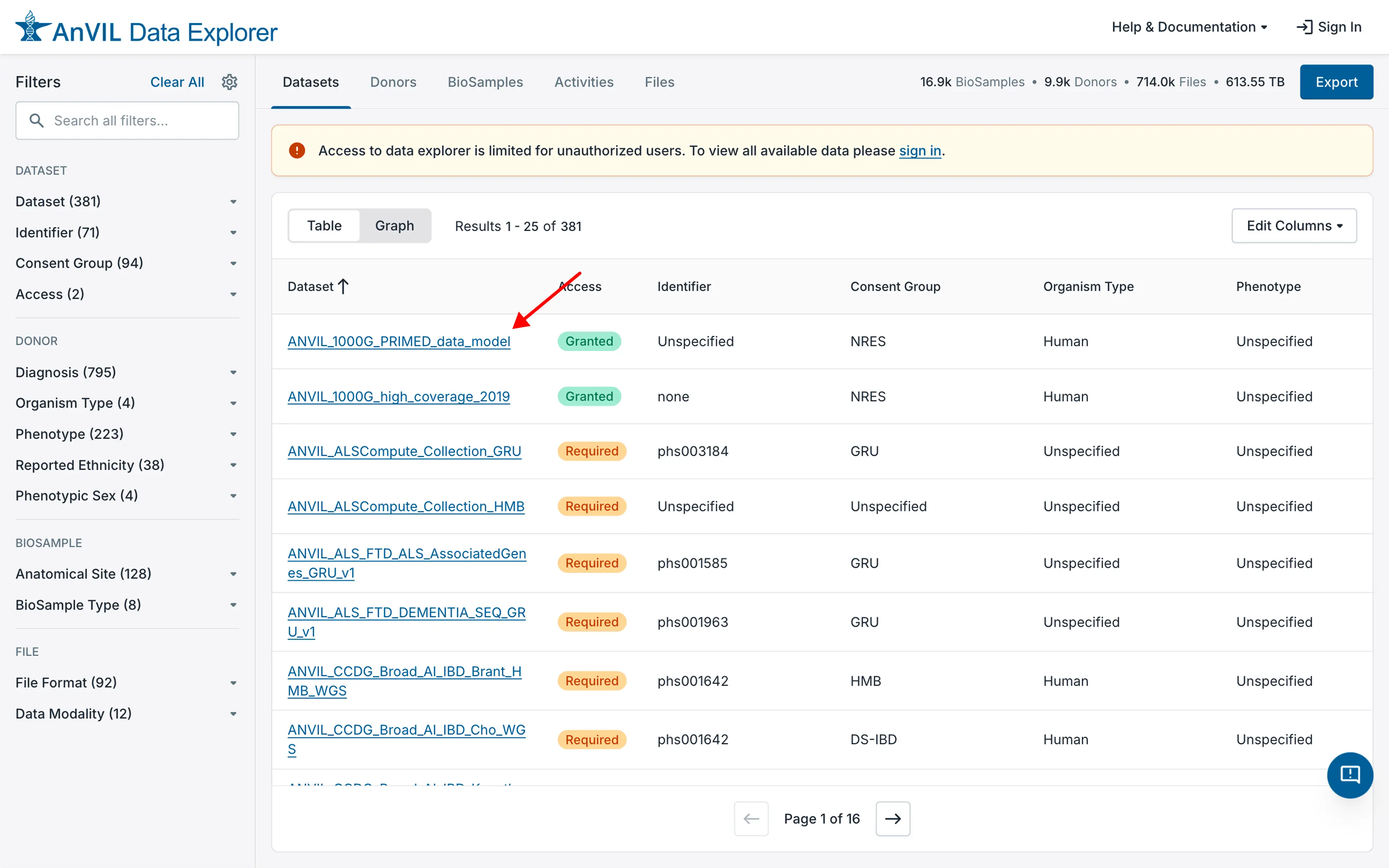
- Visit the dataset of interest by clicking on the dataset name in the Data Explorer.
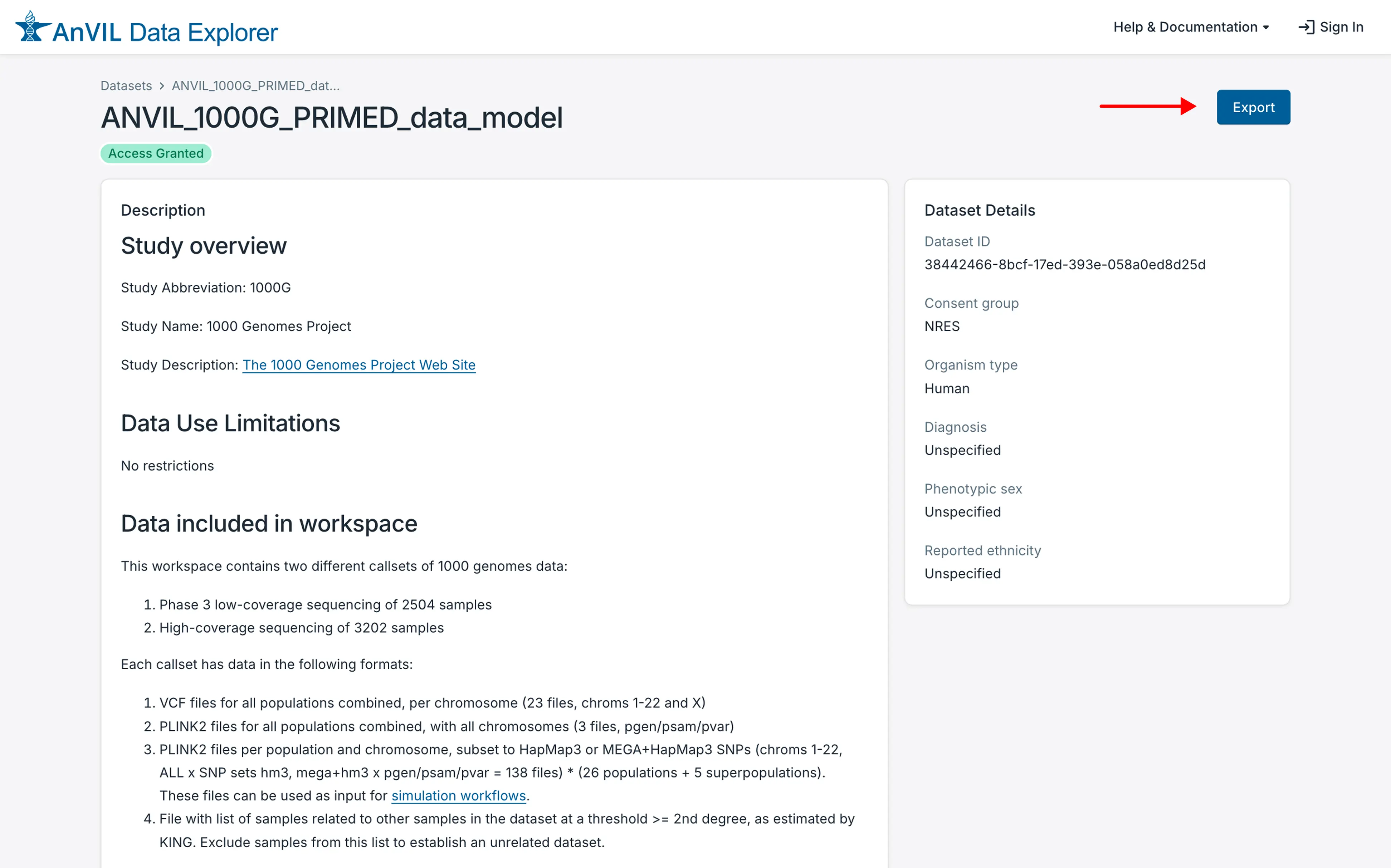
- On the dataset description page, click on the "Export" button in the upper right-hand corner of that page.
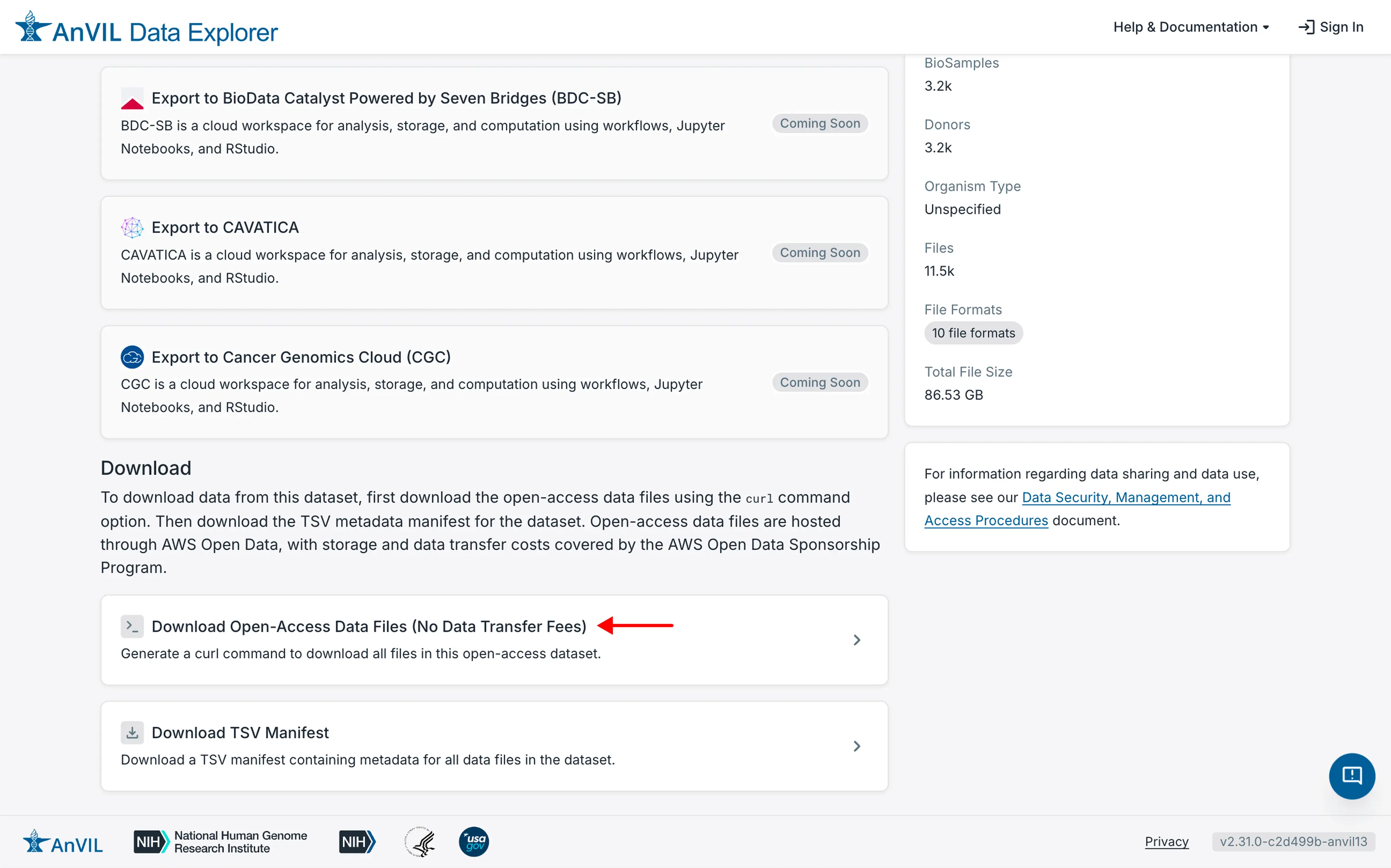
- Then click on "Download Open-Access Data Files (No Data Transfer Fees)" in the "Download" section near the bottom of the page.
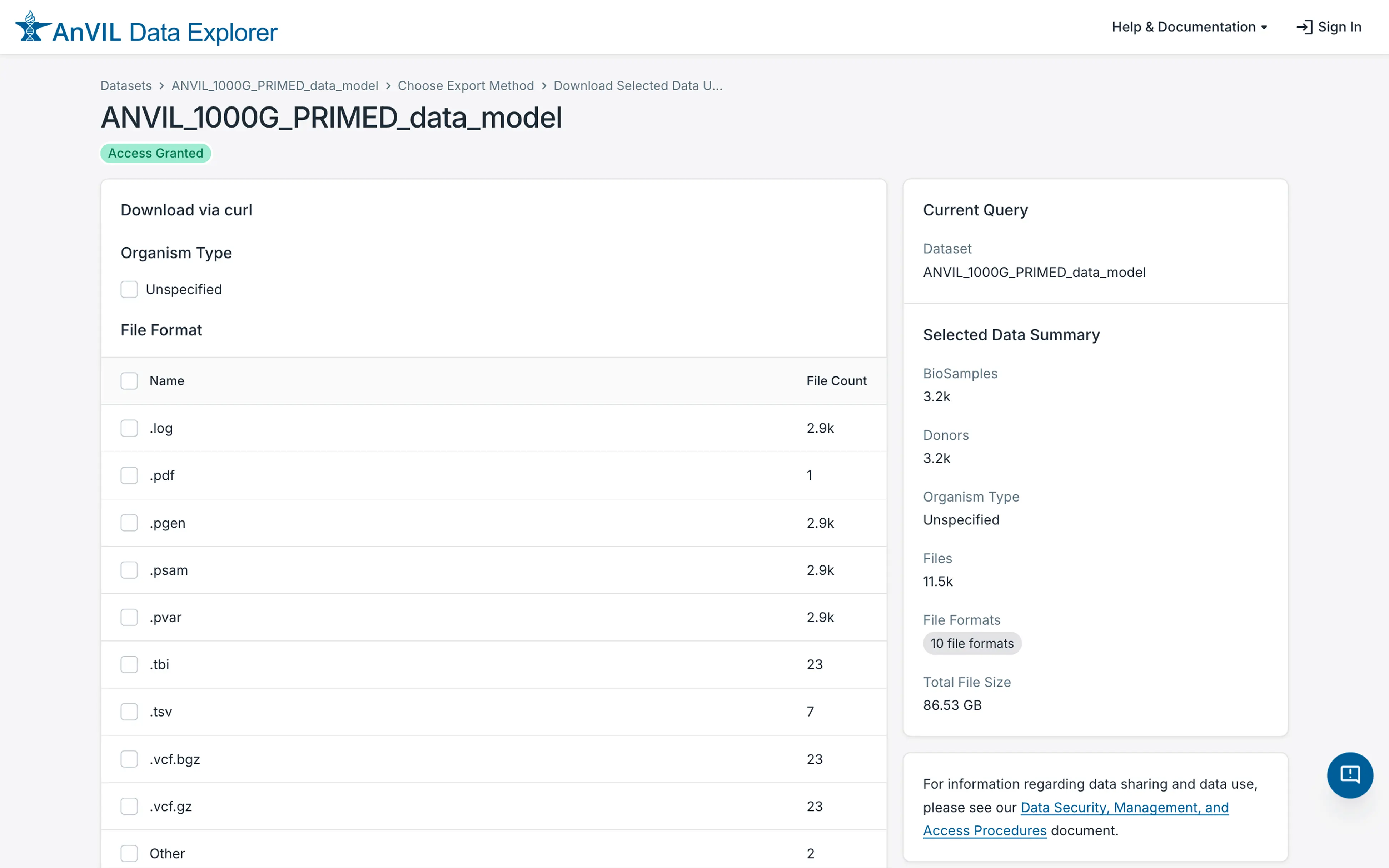
- This will display a screen that allows some refinement of the data to download.
-
Select all of the organism type(s) at the top of the page.
-
Check the box next to the Name heading. This will select all of the file types.
- If the user wants to download only specific file types, select only those file types and leave the others unchecked.
-
Select Bash1 if you are on Mac, Linux, or Windows Subsystem for Linux; select cmd.exe if you are on Windows Command Prompt.
-
Click on the Request curl Command button.
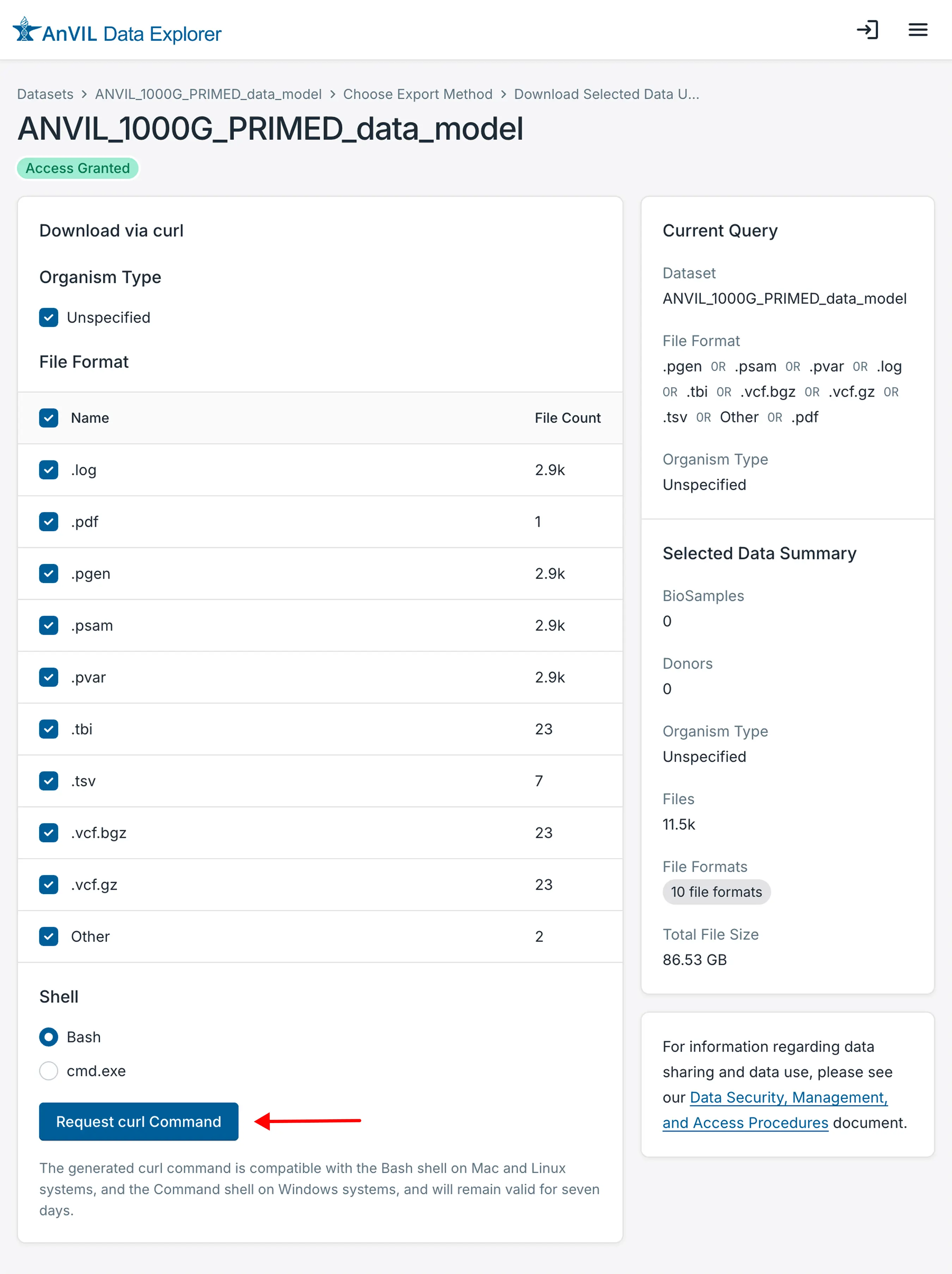
This will generate a curl manifest and the command needed to transfer the files. The resulting command will be similar to this:
curl --location --fail https://service.explore.anvilproject.org/manifest/files/ksQylKdhbnZpbDEzpGN1cmzEEKxolyZNG12_p9nHuKrRpbDEEH2f6ZDL2lSzofvXZ80pfgXEIJHlLajfJ07ut9ZEMwSwDDAdmSZQam5pZbCxG3WZeFBl | curl --retry 15 --retry-delay 10 --config -
On the destination system, issue the specified curl command. Clicking the text box containing the curl command copies it to your clipboard so you can paste it into a terminal window.
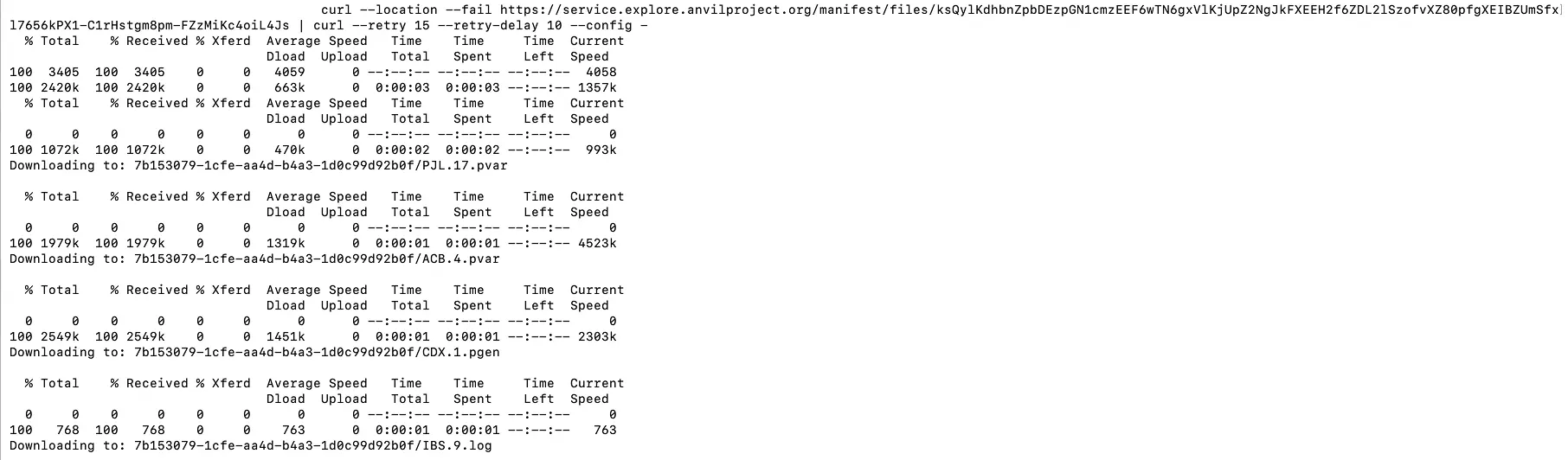
For single-dataset downloads, a series of subdirectories will be created containing the selected files from that dataset.
Downloading Files From Multiple Datasets
Downloading files from multiple datasets works the same way as downloading from a single dataset, except for how you select the datasets.
In this case, on the Data Explorer's main page, use the faceted search feature in the right-hand column to select the datasets of interest and then click on the "Export" button on the top right of the page.
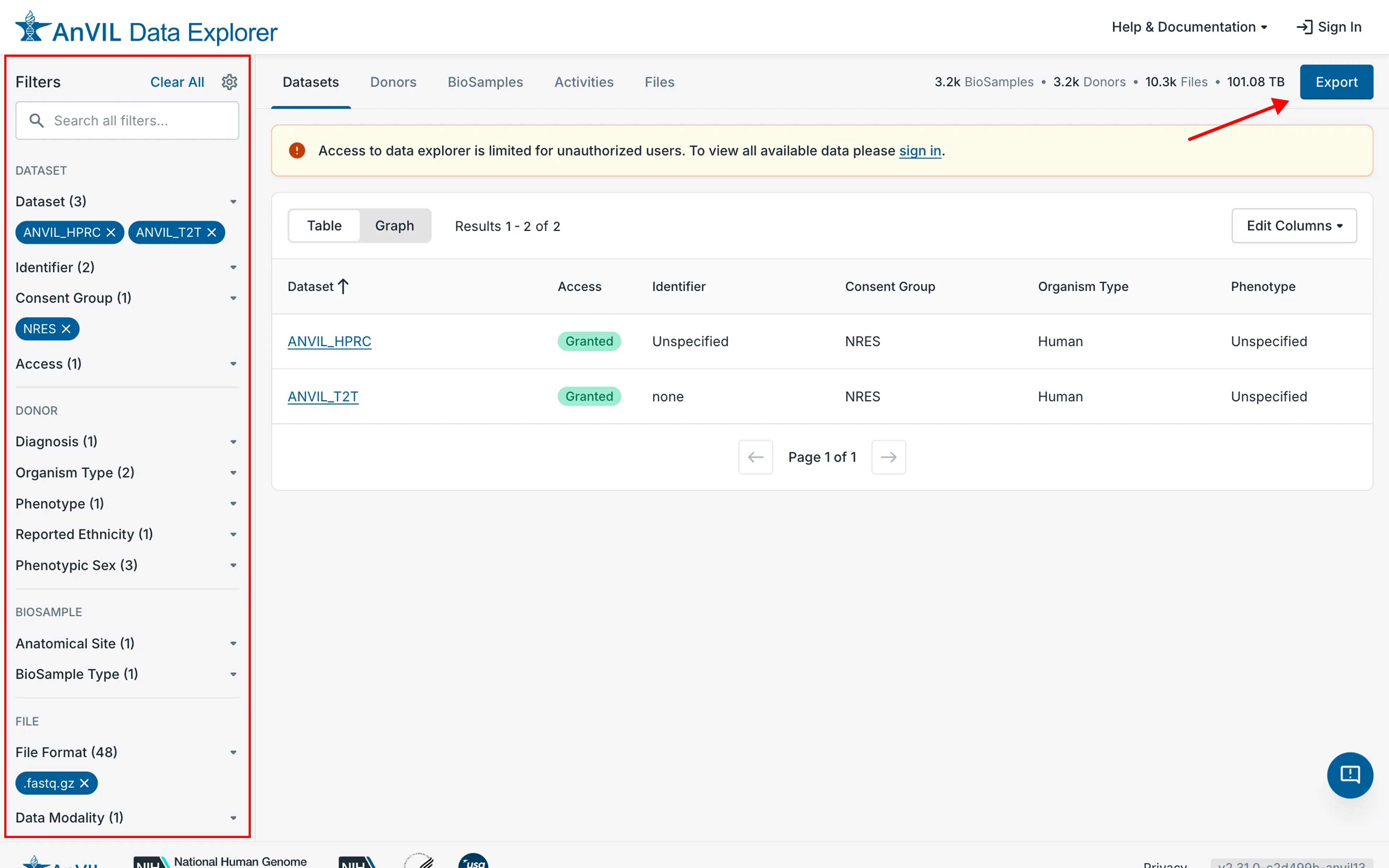
From this point on, the interface is the same as the single dataset download above. Continue with Step 3 above.
1 The Bash shell will work for most of the common Unix/Linux command-line shells.